
AI & Automation
AI PDF Invoices
Lists vendor invoices that the AI PDF import job has read from a watch folder and staged for review. Invoices appear here when the skill's posting mode is Review, or when some line items could not be matched to Quasar items automatically. Select an invoice and choose Process Selected to open it in the AI PDF Invoice Detail screen, where lines can be corrected and the invoice posted as a Vendor Invoice. Access from Purchases › Operations › AI PDF Invoices.
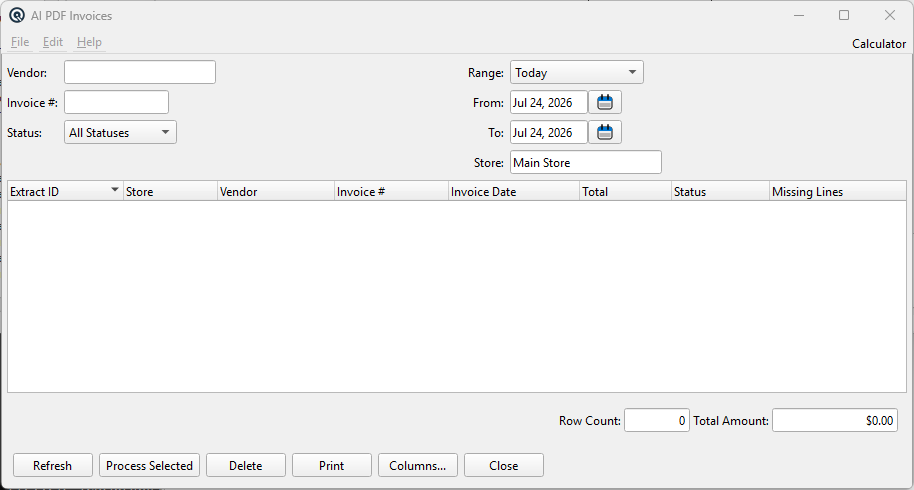
Selection Criteria
VendorLimit the list to one vendor (lookup). Leave empty for all vendors. Invoice #Limit the list to a specific vendor invoice number. StatusFilter by processing state: All Statuses, Pending Review, Posted, or Ignored. StoreLimit the list to invoices received at one store. RangePreset date range for the invoice date. Selecting a range fills in From and To. FromStart of the invoice date range. ToEnd of the invoice date range. |
Invoice List
|
Each row is one extracted invoice awaiting review or already processed.
|
Totals
CountNumber of invoices matching the current selection. TotalSum of the invoice totals shown. |
Actions
RefreshRe-reads the list using the current selection criteria. Process SelectedOpens the selected invoice in the AI Invoice Detail screen for line-by-line review and posting. Delete SelectedRemoves the selected extraction records. The original PDF is not deleted. Prints the list as shown. ColumnsChoose which columns appear in the list. CloseCloses the screen. |
Related Screens
| AI PDF Invoice Detail | AI Skill Master | Vendor Invoice | Client Daemon Configuration |
| Quasar Accounting 7.1 • © Linux Canada Inc. • Table of Contents |