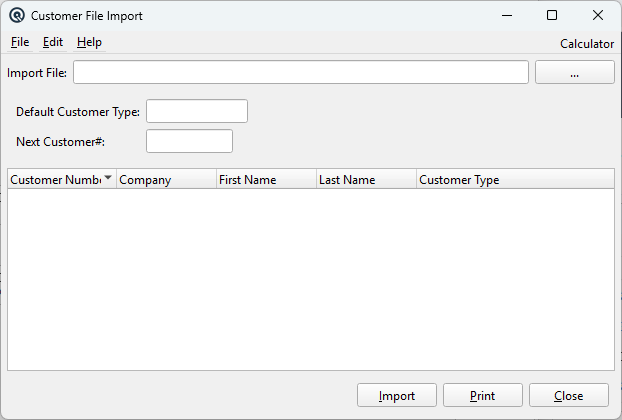
The Customer CSV Import bulk-loads customer records from a comma-separated file. It supports both company and individual customers, complete with address and contact information, and inherits financial settings from the assigned customer type. For a complete walkthrough, see the Quasar Guide. Access from Sales › Customer File Import.
Required. The customer type applied when the CSV row's type field is empty or doesn't match an existing type. Provides default settings for AR account, terms, credit limit, grace days, service charge, statement preferences, price level, and permissions.
Next Customer#
Required. Starting number for auto-assigned customer numbers. Used when the CSV row does not include a customer number. Automatically increments for each customer created.
CSV File Format
The CSV file must contain exactly 20 fields per line, comma-separated. Lines where field 1 is “Blank” are skipped.
#
Field
Description
1
Flag
Set to “Blank” to skip this row entirely.
2
Customer Number
Explicit customer number. If empty, the next auto-number is used.
3
Company
Company name. If non-empty, customer is created as a company; otherwise as an individual.
4
First Name
First name (for individual customers).
5
Last Name
Last name. The display name is formed as “Last, First” for individuals.
6
Customer Type
Customer type name. Falls back to the Default Customer Type if not found.
7
Contact
Primary contact name (for companies).
8
Address Line 1
Street address.
9
Address Line 2
Second address line.
10
City
City.
11
Province/State
Province or state.
12
Country
Country.
13
Postal Code
Postal/ZIP code.
14
Phone 1
Primary phone number.
15
Phone 2
Secondary phone number.
16
Fax
Fax number.
17
Email
Email address.
18
Web
Website URL.
19
Credit Limit
Override credit limit. If empty, uses the customer type's default.
20
Require Statement
“Y” to require statements, “N” to suppress, blank for the type default.
Inherited Customer Type Settings
Each imported customer inherits the following from its resolved Customer Type:
• AR Account • Terms • Tax Exempt status • Grace Type & Days • Credit Limit (unless overridden) • Service Charge rate • Statement preferences (unless overridden) • Price Level & Force Price Level • Charge/Withdraw/Payment permissions • Check Withdraw Balance • Second Receipt
Customers whose name already exists in the database are skipped as duplicates.