|
The Inquiry screen displays all posted transactions for a specific
account, customer, vendor, or item within a date range. Each tab shows a
running balance and lets you double-click any transaction to open its
source document. Access from Ledger › Inquiry or from
the right-click menu on many list screens.
Common Controls
These controls appear at the top of every tab:
| Control | Description |
|---|
| Dates | Preset date range selector (Today, Last 30 Days, This Month, etc.) |
| From / To | Custom start and end dates for the inquiry period |
| Single Store | Filter transactions to a single Store location |
| Store Group | Filter to all stores in a named group |
| All Stores | Show transactions across every store |
| Refresh | Reload data with the current filters |
| Print | Print the current inquiry results |
| Close | Closes the inquiry window |
Tip
Double-click or press Enter on any transaction row to drill down and
open the original master screen (Invoice, Payment, Journal Entry, etc.).
Account Tab
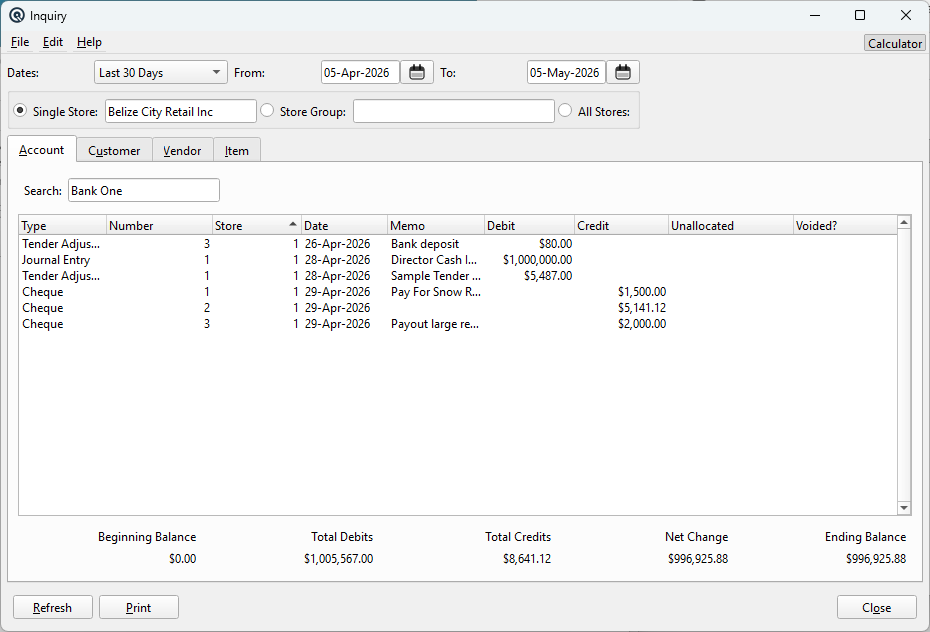
The Account tab shows all transactions posted to a specific General
Ledger account, with a running debit/credit balance.
| Field | Description |
|---|
| Account | The GL account to inquire on (type a number or name to look up) |
Result Columns
| Column | Description |
|---|
| Date | Transaction posting date |
| Number | Transaction number |
| Store | Store where the transaction was posted |
| Type | Transaction type (Invoice, Payment, Journal Entry, etc.) |
| Memo | Transaction memo or account-level memo override |
| Debit | Debit amount for this account line |
| Credit | Credit amount for this account line |
| Balance | Running balance (cumulative debits minus credits) |
| Void | Shows “Yes” if the transaction has been voided |
Customer Tab
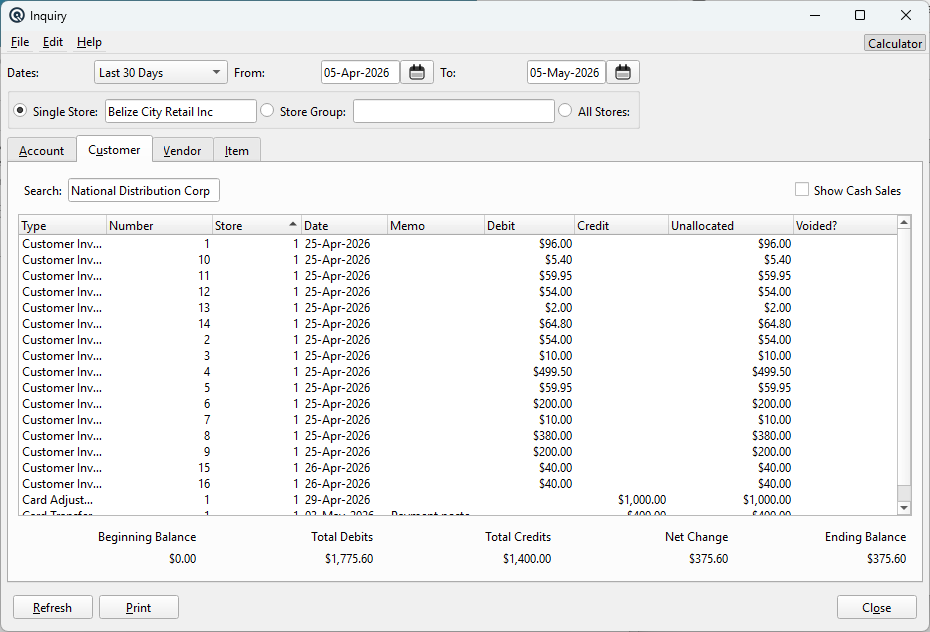
The Customer tab shows all transactions for a specific customer
account, providing a complete history of invoices, payments, returns,
and adjustments with a running balance.
| Field | Description |
|---|
| Customer | The customer account to inquire on (type a number or name to look up) |
Result Columns
| Column | Description |
|---|
| Date | Transaction posting date |
| Number | Transaction number |
| Type | Transaction type (Customer Invoice, Customer Payment, Customer Return, etc.) |
| Memo | Transaction memo |
| Charge | Amount charged to the customer |
| Payment | Payment or credit amount |
| Balance | Running customer account balance |
| Void | Shows “Yes” if the transaction has been voided |
Vendor Tab
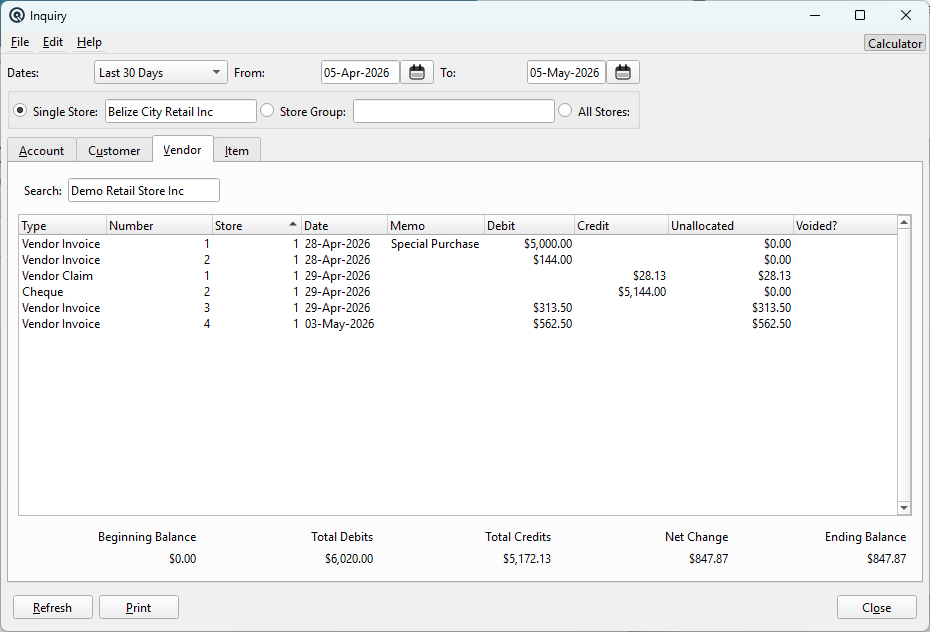
The Vendor tab shows all transactions for a specific vendor
account, displaying purchase invoices, payments, claims, and adjustments
with a running balance.
| Field | Description |
|---|
| Vendor | The vendor account to inquire on (type a number or name to look up) |
Result Columns
| Column | Description |
|---|
| Date | Transaction posting date |
| Number | Transaction number |
| Type | Transaction type (Vendor Invoice, Vendor Claim, Cheque, etc.) |
| Memo | Transaction memo |
| Charge | Amount charged by the vendor |
| Payment | Payment or credit amount |
| Balance | Running vendor account balance |
| Void | Shows “Yes” if the transaction has been voided |
Item Tab
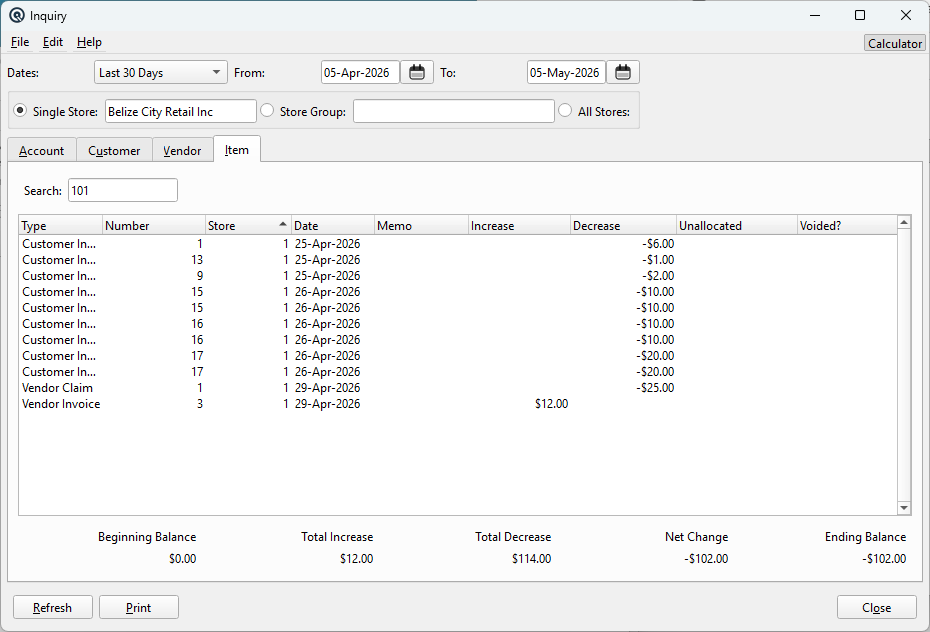
The Item tab shows all transactions involving a specific inventory
item, tracking quantity movement, costs, and selling prices.
| Field | Description |
|---|
| Item | The item to inquire on (type a number, description, or scan a barcode) |
Result Columns
| Column | Description |
|---|
| Date | Transaction posting date |
| Number | Transaction number |
| Type | Transaction type (Customer Invoice, Vendor Invoice, Item Adjustment, etc.) |
| Memo | Transaction memo |
| Quantity | Quantity of the item on this transaction (positive = in, negative = out) |
| Total Cost | Extended cost for this item line |
| Total Price | Extended selling price for this item line |
| Void | Shows “Yes” if the transaction has been voided |
Tab Visibility
Tabs are automatically hidden based on your configuration:
- Security rules — administrators can hide specific tabs per user via INQUIRY_HIDE_ACCOUNT, INQUIRY_HIDE_CUSTOMER, INQUIRY_HIDE_VENDOR.
- Feature profile — tabs are hidden if their feature is disabled (e.g. no GL module hides Account, no A/R hides Customer, no Purchasing hides Vendor, no Inventory hides Item).
Related Screens
|