
Customers & Sales
Tender Master
The Tender Master creates or edits a payment tender. A multi-tab screen covering general settings, accounts, rounding, denominations, linked items, and e-wallet fees.
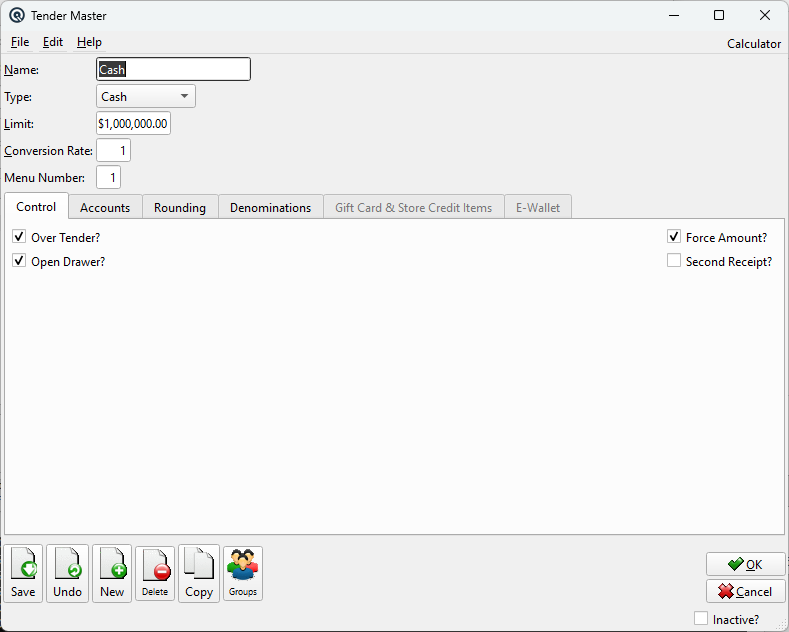
General
NameTender name (e.g., "Cash", "Visa", "GCash"). TypeThe tender type controls which tabs and features are available. Each tender must be one of: Cash — Physical currency. Enables the Denominations tab for bill/coin counting during till reconciliation. Supports over-tendering (change given back). LimitMaximum amount per transaction (0 = unlimited). Conversion RateExchange rate for foreign currency tenders. Menu NumberPOS menu button position number. |
Control Tab
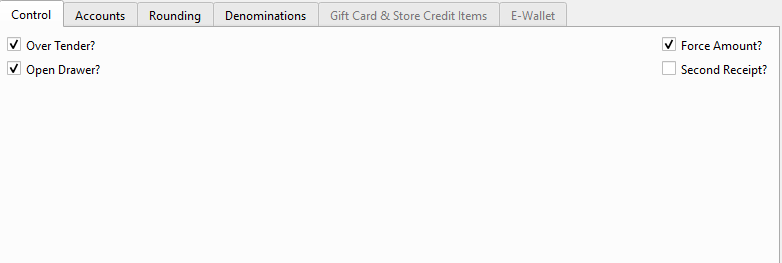
Over Tender?Allow the customer to pay more than the transaction total (change given back). Open Drawer?Automatically open the cash drawer when this tender is used. Force Amount?Require the clerk to enter the exact tender amount (no auto-fill). Second Receipt?Print a second copy of the receipt for this tender (e.g., for credit card merchant copy). |
Accounts Tab
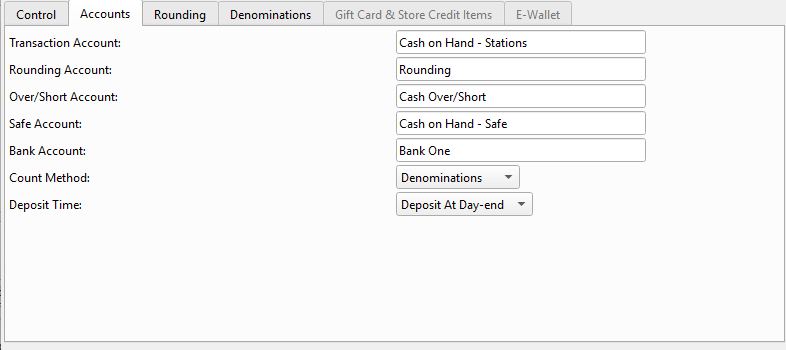
Transaction AccountGL account for recording tender receipts. For Bank Transfer type, this is labeled “Transaction Account (Bank)” and is the only required account. Rounding AccountGL account for rounding adjustments. Over/Short AccountGL account for cash count over/short variances. Safe AccountGL account for the store safe (intermediate holding). Bank AccountGL account for the bank deposit. Count MethodHow the tender is counted: Single Amount, Multiple Amounts, or Denominations. Deposit TimeWhen deposits occur: At Day-end, At Reconcile, or Manually. |
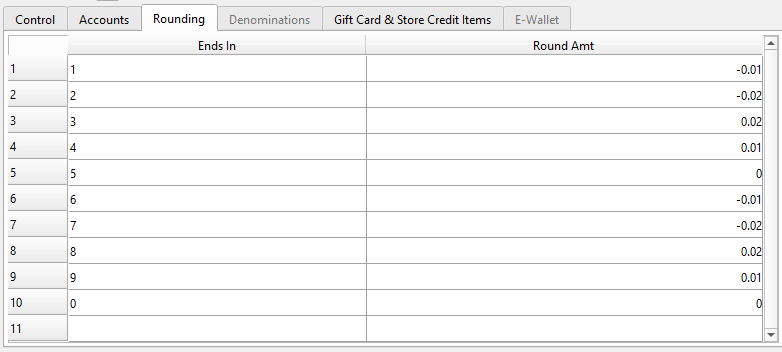
Rounding Tab
|
Defines rounding rules for this tender. Each row specifies a pattern and the rounding adjustment to apply. Ends InThe digit pattern to match at the end of the amount (e.g., "1", "2"). Round AmtThe adjustment amount applied when the pattern matches. |
Denominations Tab
|
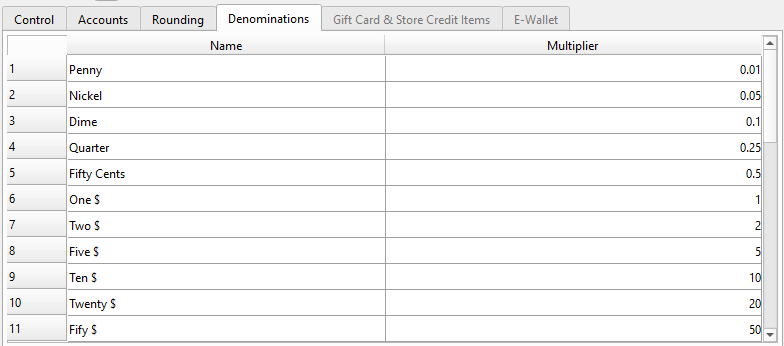
Available only for Cash type tenders. Defines bill and coin denominations used when counting the tender by denomination during till counting. NameThe denomination label (e.g., "$20 Bills", "Quarters"). MultiplierThe dollar value of each unit (e.g., 20.00 for $20 bills, 0.25 for quarters). |
Gift Card & Store Credit Items Tab
|
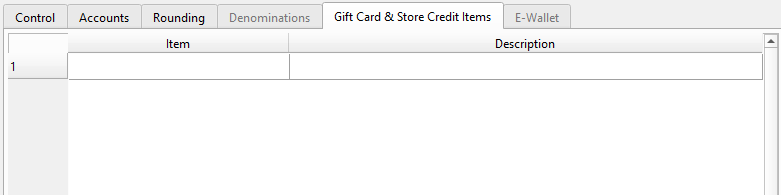
Available only for Gift Card and Store Credit type tenders. Links specific inventory items to this tender type. Only items flagged as Gift Card or Store Credit can be added. ItemSelect the gift card or store credit item by number. DescriptionAuto-populated from the item record (read-only). |
E-Wallet Tab
|
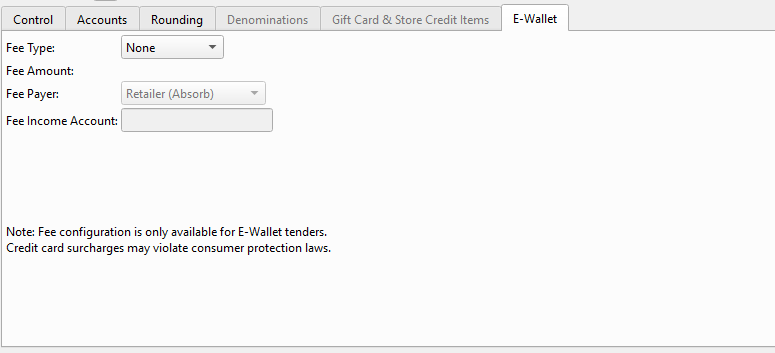
Available only for E-Wallet type tenders. Configures convenience fees for digital payment providers (e.g., GCash, Maya). Fee TypeNone, Fixed Amount, or Percent. Fee Amount / Fee PercentThe fee value — field label changes based on fee type selection. Fee PayerRetailer (Absorb) — merchant absorbs the fee, or Customer (Surcharge) — fee is added to the transaction total. Fee Income AccountGL account for convenience fee revenue. Only enabled when the customer pays the fee. |
Layaway Payments
|
All configured tenders can be used for Layaway payments. When a customer makes a layaway payment through the Receipt Master, the tender selected (Cash, Card, E-Wallet, etc.) is recorded against the plan's deposit liability account rather than Accounts Receivable. The tender's GL Transaction Account still receives the debit as usual — only the credit side changes for layaway payments. |