
Customers & Sales
Tender Adjustment
The Tender Adjustment corrects tender balances. Use this to fix discrepancies from counting errors or to adjust opening tender balances.
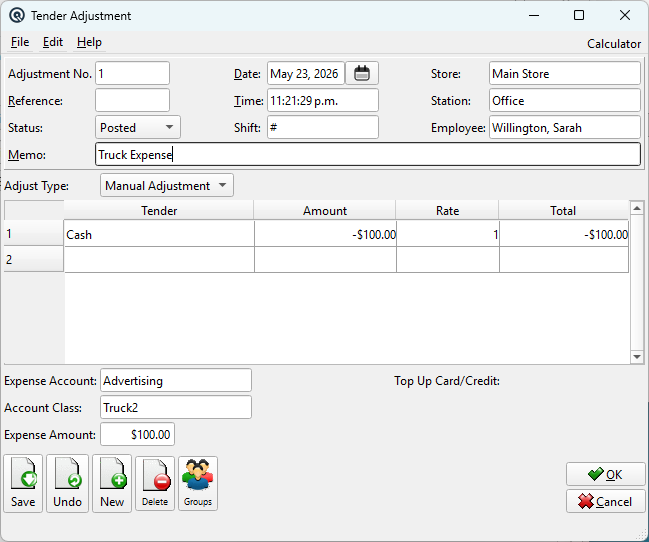
Fields
NumberAdjustment number. Sequence numbering is by store. DateAdjustment date. Store / StationStore and POS station. Adjust TypeThe type of adjustment: Manual Adjustment (user picks an offset account), Bank Deposit (offset to bank accounts), or Over/Short (offset to over/short accounts). TenderThe tender type being adjusted. AmountAdjustment amount (positive adds, negative removes). Expense AccountThe offsetting GL account for a Manual Adjustment. Only visible when Adjust Type is Manual Adjustment. Account ClassDefault account class applied to the expense account posting for Manual Adjustments. If the expense account is a balance sheet account, the class is silently ignored. Only visible when the Account Classes feature is enabled and Adjust Type is Manual Adjustment. Expense AmountRead-only total of the adjustment amounts. |