
Card File & CRM
Patronage Worksheet
The Patronage Worksheet calculates member dividends based on sales, purchases, and account balances over a date range. Results can be posted to the ledger as equity and credit entries.
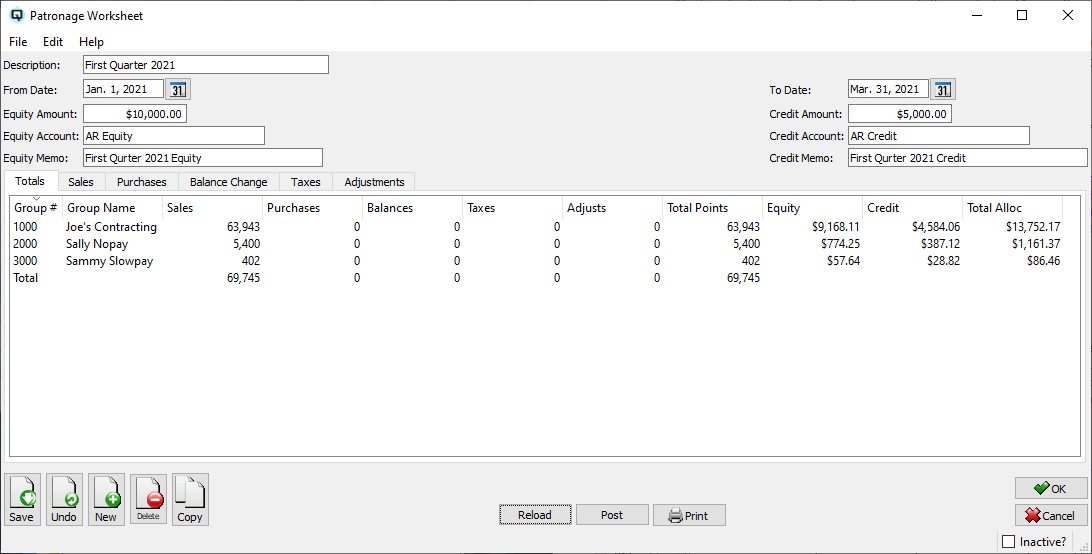
Fields
DescriptionA description for this worksheet (e.g., "2025 Annual Patronage"). From DateThe start of the date range for the patronage calculation. To DateThe end of the date range for the patronage calculation. Equity AmountThe total equity allocation to distribute across groups. Equity AccountThe GL account for posting equity allocations. Equity MemoMemo text that appears on equity posting entries. Credit AmountThe total credit allocation to distribute across groups. Credit AccountThe GL account for posting credit allocations. Credit MemoMemo text that appears on credit posting entries. InactiveWhen checked, this worksheet is marked inactive. The worksheet is automatically set to inactive after posting. |
Totals Tab
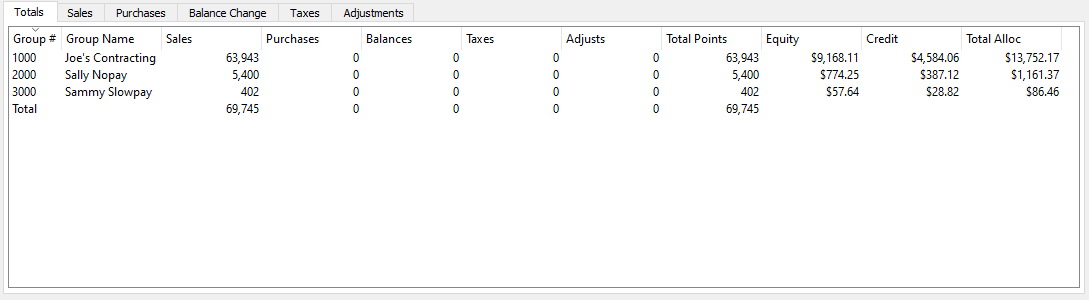
|
Summary view showing each patronage group and its calculated allocations. Columns include: Group # / Group NamePatronage group identifier and name. SalesTotal sales points for this group. PurchasesTotal purchase points. BalancesTotal balance-change points. TaxesTotal tax points. AdjustsTotal manual adjustment points. Total PointsSum of all point categories. EquityCalculated equity allocation amount. CreditCalculated credit allocation amount. Total AllocCombined equity + credit allocation. |
Sales Tab
|
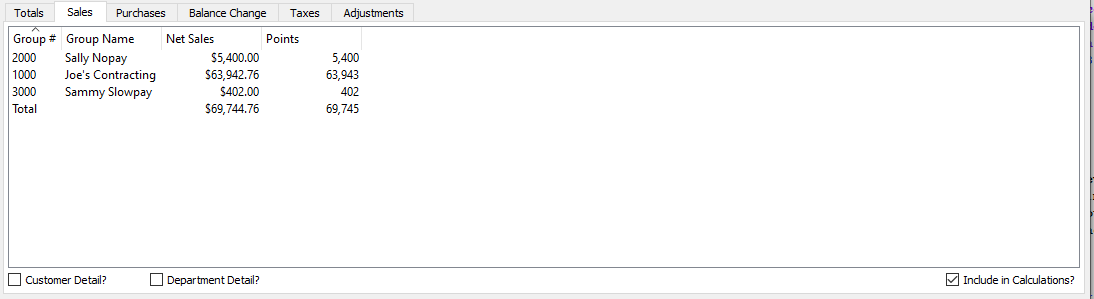
Member sales activity for the date range. Double-click a group to see individual customer/department detail. Customer Detail?Check to break down sales by individual customer within each group. Department Detail?Check to break down sales by department within each group. Include in Calculations?Check to include sales points in the patronage total calculation. When unchecked, sales data is shown but not factored into the equity/credit allocation. |
Purchases Tab
|
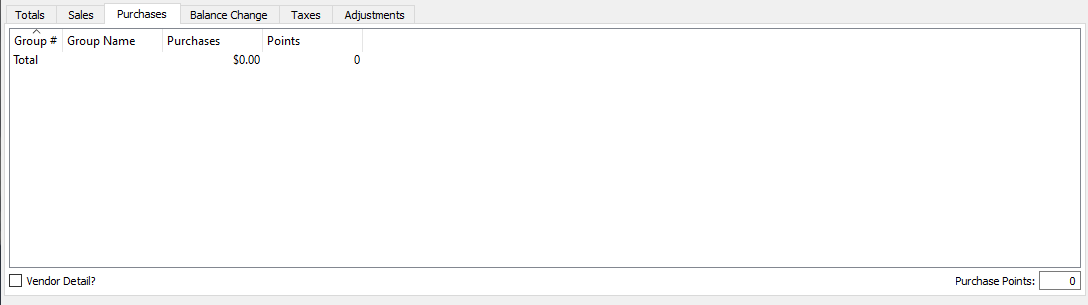
Member purchase activity from vendors assigned to patronage groups. Double-click a group for vendor-level detail. Vendor Detail?Check to break down purchases by individual vendor within each group. Purchase PointsA multiplier value applied to purchase amounts to calculate purchase points for the patronage calculation. |
Balance Change Tab
|
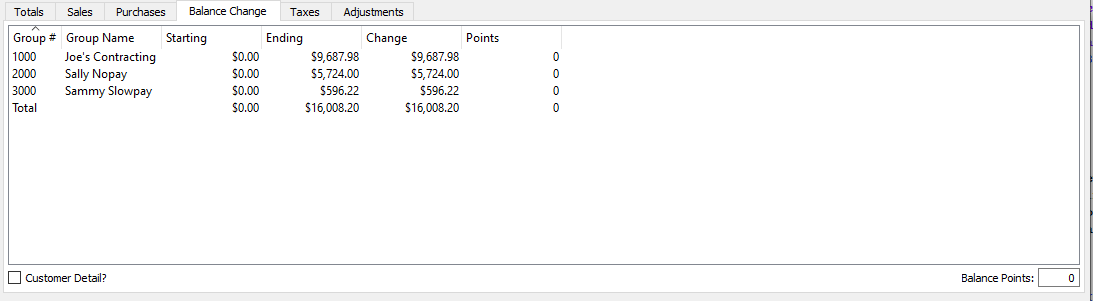
Shows customer account balance changes over the date range. Opening balances are compared to closing balances. Double-click for customer detail. Customer Detail?Check to break down balance changes by individual customer. Balance PointsA multiplier value applied to balance change amounts to calculate balance points for the patronage calculation. |
Taxes Tab
|
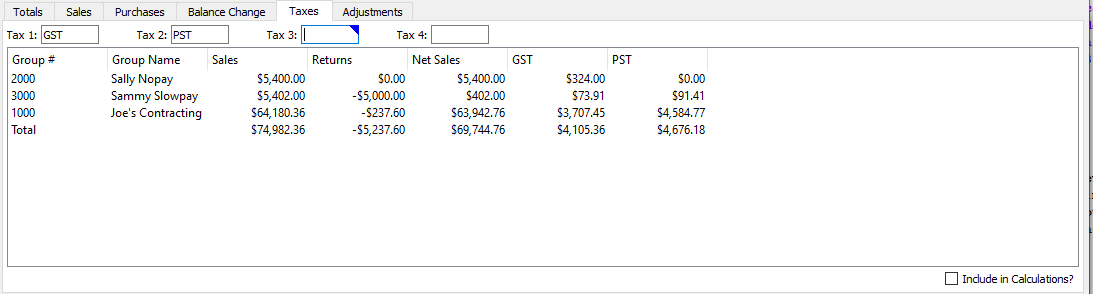
Tax amounts collected from members during the period. Up to four tax codes can be selected; the grid reformats to show each selected tax. Tax 1First tax code to include in the patronage tax calculation (e.g., GST). Tax 2Second tax code (e.g., PST). Tax 3Third tax code (optional). Tax 4Fourth tax code (optional). Include in Calculations?Check to include tax points in the patronage total. When unchecked, tax data is displayed but excluded from equity/credit allocation. |
Adjustments Tab
|
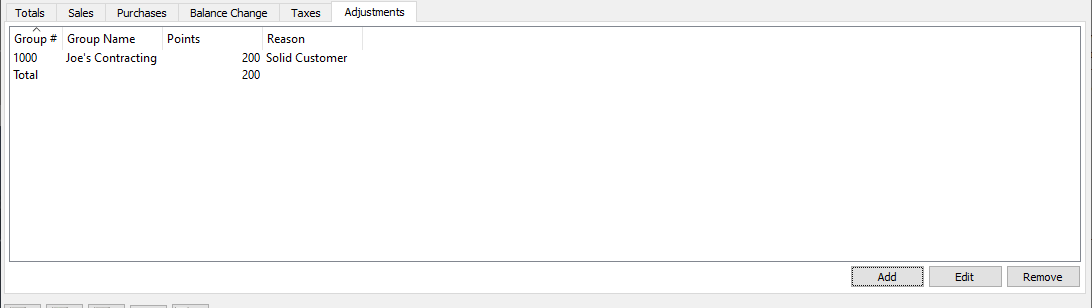
Manual point adjustments that can be added, edited, or removed to fine-tune the patronage calculation before posting. Group # / Group NameThe patronage group receiving the adjustment. PointsThe number of points to add (positive) or subtract (negative). ReasonA free-text explanation for the adjustment. AddAdd a new adjustment. EditEdit the selected adjustment. RemoveRemove the selected adjustment. |
Actions
ReloadRecalculate the worksheet from current transaction data. Warns that any manual changes will be lost. PostPosts patronage dividends to the General Ledger. Creates Card Adjustments for each patronage group’s equity and credit customer accounts. The worksheet is set to Inactive after posting. Print the currently visible tab as a report. |
Standard Buttons
SaveSaves the worksheet. UndoReverts changes since the last save. NewOpens a blank worksheet. DeleteDeletes the worksheet. CopyDuplicates the worksheet. GroupsAssign the worksheet to security/data groups. OKSaves and closes the screen. CancelCloses without saving changes. |
Related Screens
| Patronage Worksheet List | Patronage Group Master |
| Quasar Accounting 7.1 • © Linux Canada Inc. • Table of Contents |