
Pricing & Labels
Label Batch List
The Label Batch List displays all shelf label print batches. Filter by store, print status, and print date range.
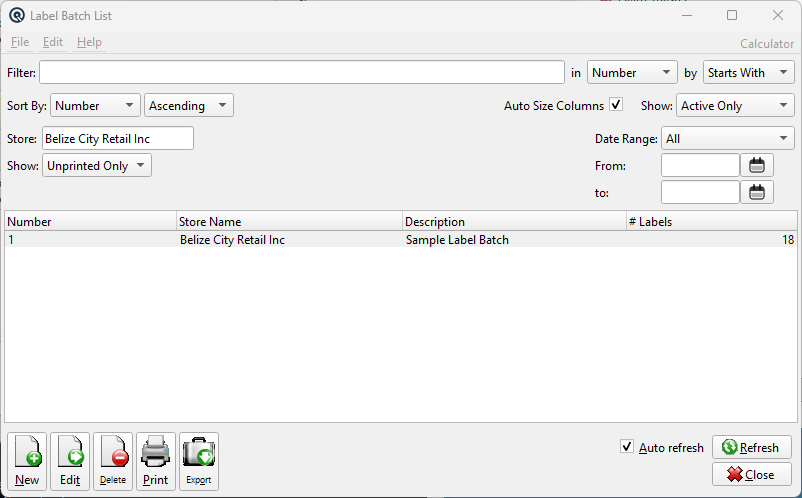
Default Columns
| Column | Description |
| Number | Batch number. |
| Store Name | Store name. |
| Description | Batch description. |
| # Labels | Number of labels in the batch. |
Available Columns
Additional columns configurable via list settings.
| Column | Description |
| Print Date | Date labels were printed. |
| Store Number | Store number. |
| Type | Batch type (label template). |
Filters
FilterQuick-search the displayed list. Type text to instantly filter rows by matching against the selected column. Use the in dropdown to choose which column to search, and the by dropdown to switch between Starts With, Contains, or Exact Match. Tip: If you do not see the column you want to search or view, go to File → Configure to customize which columns are displayed. Sort Column & MethodChoose the column used to sort the list. Use the second dropdown to switch between Ascending and Descending order. Auto Size ColumnsWhen checked, columns automatically resize to fit their contents each time the list refreshes. When unchecked, column widths are saved between sessions. StoreFilter by store. Defaults to the current store. ShowFilter by print status: Date RangeSelect a predefined date range for the print date filter. FromStart print date for the filter range. ToEnd print date for the filter range. |
Related Screens
| Label Batch |
| Quasar Accounting 7.1 • © Linux Canada Inc. • Table of Contents |