
More Topics
Client Daemon Configuration
The Client Daemon (quasar_clientd) Configuration manages the background service settings for automated data exchange, e-commerce integrations, e-invoicing, and certification services. Each tab controls an independent subsystem. Tabs are feature-gated — only tabs relevant to enabled business features are visible. Settings are stored in the settings database table. Access from Setup › System › ClientD Configuration (requires feat_clientd).
Build Tab
|
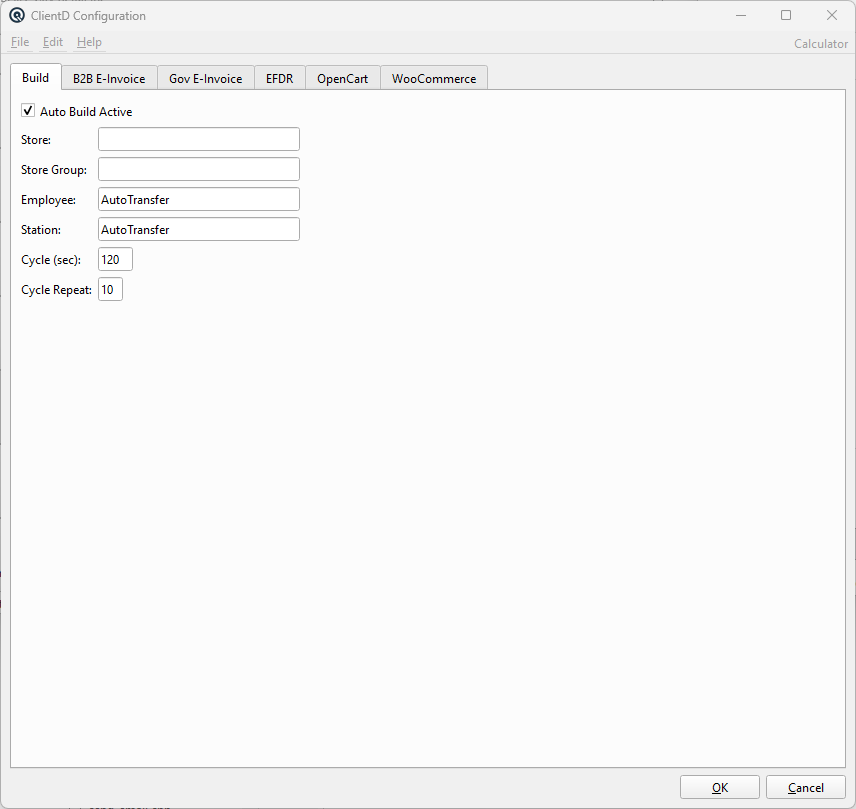
Controls automatic background build operations. Visible when feat_kits is enabled. Auto Build ActiveEnable/disable automatic background builds. StoreStore scope for auto-build operations. Store GroupGroup-level store scope (alternative to single store). EmployeeEmployee to assign to auto-built transactions. StationStation to assign to auto-built transactions. Cycle (sec)Polling interval in seconds between build cycles. Cycle RepeatNumber of times to repeat the cycle. |
B2B E-Invoice Tab
|
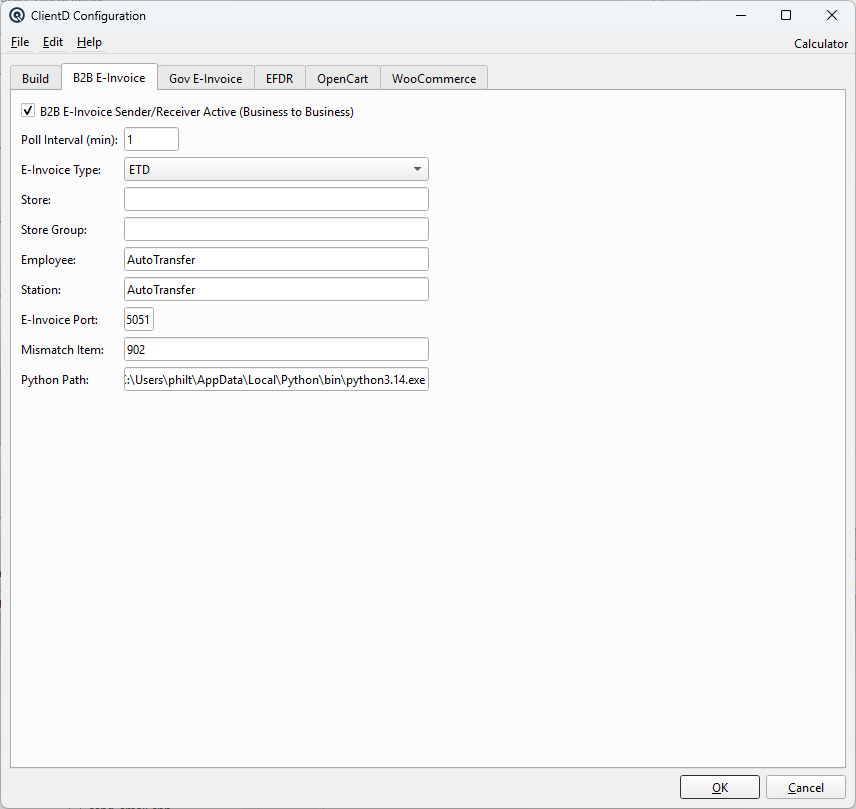
Configures the Business-to-Business e-invoice sender/receiver for PEPPOL and ETD document exchange. Visible when feat_b2b_einvoice is enabled. B2B E-Invoice Sender/Receiver Active (Business to Business)Enable/disable the B2B e-invoice subsystem. Poll Interval (min)Minutes between polling for new inbound documents. E-Invoice TypeProtocol: Peppol (UBL 2.1) or ETD (Belize Electronic Tax Documents). StoreStore scope for B2B operations. Store GroupGroup-level store scope. EmployeeEmployee to assign to B2B transactions. StationStation to assign to B2B transactions. E-Invoice PortTCP port for the e-invoice listener service. Mismatch ItemDefault inventory item to use when an inbound document line item cannot be matched to an existing item. Python PathPath to the Python 3 interpreter. Syncs bidirectionally with the Gov E-Invoice tab. |
Gov E-Invoice Tab
|
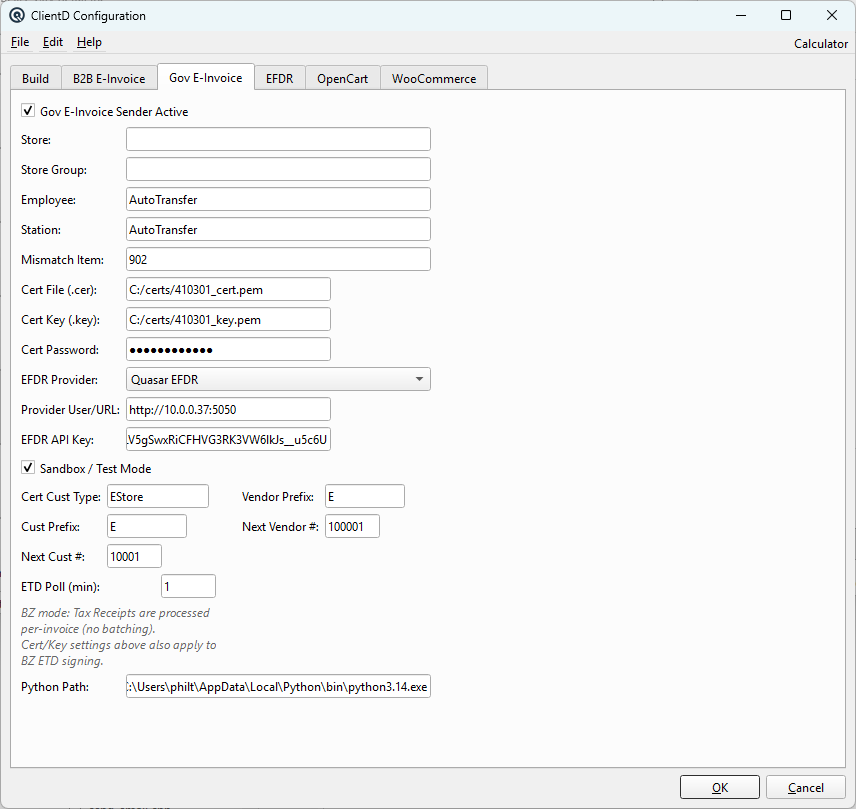
Configures government-mandated e-invoice certification. Adapts dynamically by country: Mexico (CFDI/PAC), Philippines (BIR), Belize (ETD/EFDR). Visible when feat_govt_einvoice is enabled. Gov E-Invoice Sender ActiveEnable/disable government e-invoice sending. StoreStore scope for certification operations. Store GroupGroup-level store scope. EmployeeEmployee to assign to certification transactions. StationStation to assign to certification transactions. Tax Category(Mexico only) SAT fiscal regime code (601-626). Default Usage(Mexico only) CFDI usage code (G01-CN01). Mismatch ItemDefault item for unmatched inbound document lines. Cert File (.cer)Path to the X.509 certificate file for digital signing. Cert Key (.key)Path to the private key file for digital signing. Cert PasswordPassword for the certificate private key (masked). PAC ProviderCertification provider: Quasar PAC, Finkok, or SW Sapien. Label adapts by country. Provider User/URLProvider authentication endpoint or username. Provider PasswordProvider credentials (masked for MX/PH, plain text for BZ troubleshooting). Sandbox / Test ModeWhen checked, uses the provider's sandbox environment. Global CFDI Frequency(Mexico only) Batch frequency: Daily, Weekly, Fortnightly, Monthly. CFDI Format(Mexico only) Detailed (Per Item) or Simplified (Per Tax). CFDI Poll (min)(Mexico only) Minutes between CFDI batch poll cycles. Cert Cust TypeCustomer type for auto-created customers from certification documents. Cust PrefixPrefix for auto-created customer numbers. Next Cust #Starting number for auto-created customers. Vendor PrefixPrefix for auto-created vendor numbers. Next Vendor #Starting number for auto-created vendors. Start Date(Mexico only) CFDI batch start date. Batch Time(Mexico only) Time of day for CFDI batch execution. Last Batch(Mexico only) Last batch date (read-only). Python PathPath to Python 3 interpreter. Syncs with B2B tab. |
PAC / BIR / EFDR Tab
|
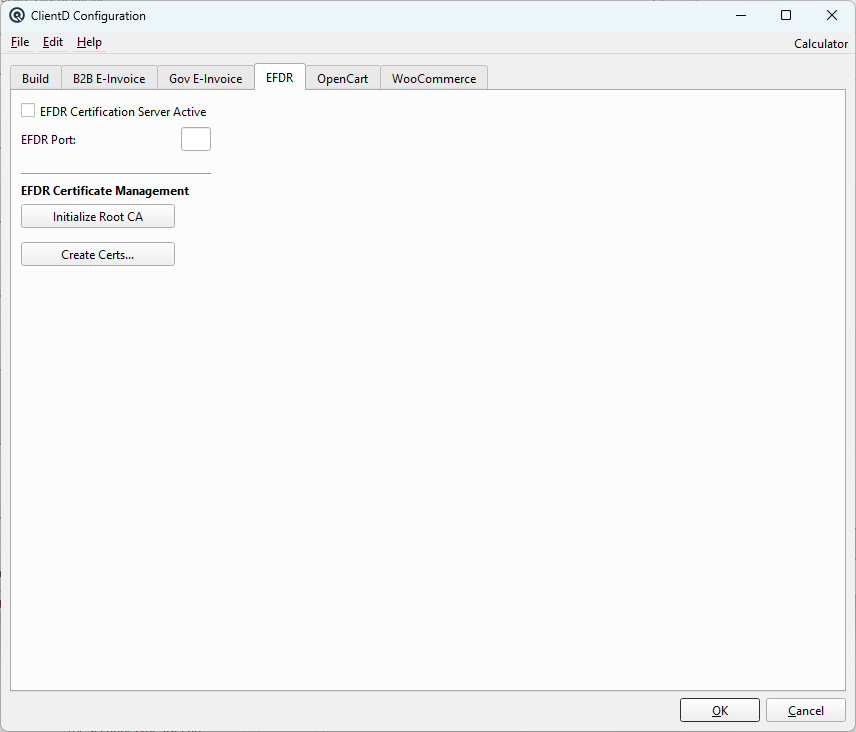
Controls the local certification server and certificate management. Tab name adapts by country: PAC (Mexico), BIR (Philippines), EFDR (Belize). Visible when feat_govt_einvoice is enabled. PAC Certification Server ActiveEnable/disable the local certification server. PAC PortTCP port the certification server listens on. Initialize Root CAOne-time generation of the Root Certification Authority. Required before any customer certificates can be issued. Create Certs...Opens the certificate issuance dialog to generate and email X.509 certificates for taxpayer customers. |
OpenCart Tab
|
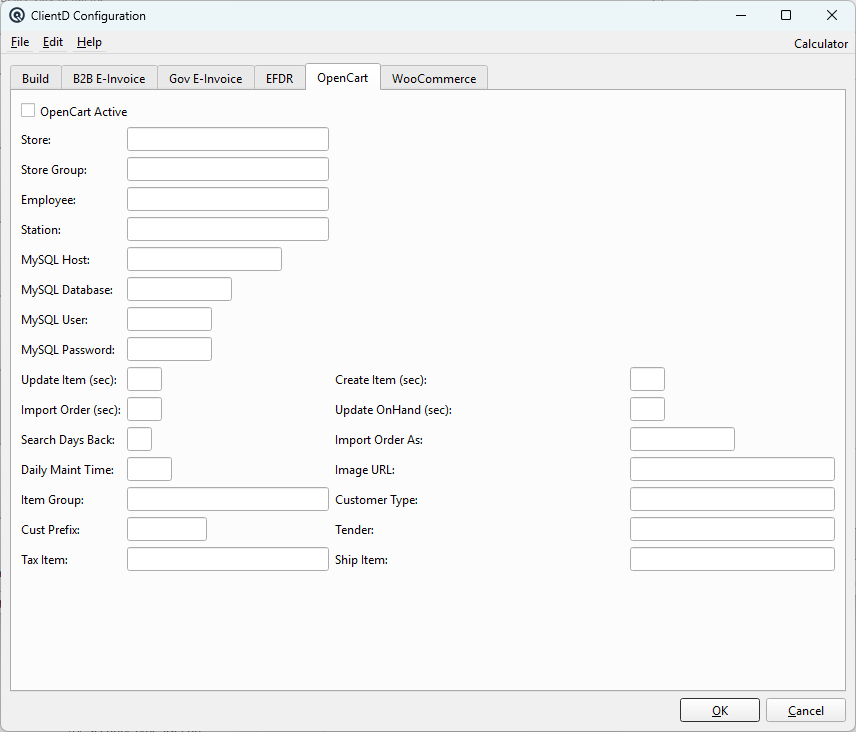
Configures the OpenCart e-commerce integration via direct MySQL database connection. Visible when feat_website is enabled. OpenCart ActiveEnable/disable the OpenCart integration. StoreStore scope for OpenCart operations. Store GroupGroup-level store scope. EmployeeEmployee to assign to OpenCart transactions. StationStation to assign to OpenCart transactions. MySQL HostHostname or IP of the OpenCart MySQL server. MySQL DatabaseOpenCart database name. MySQL UserMySQL username for database connection. MySQL PasswordMySQL password (masked). Update Item (sec)Seconds between item update pushes to OpenCart. Create Item (sec)Seconds between new item creation pushes. Import Order (sec)Seconds between order import pulls from OpenCart. Update OnHand (sec)Seconds between on-hand quantity pushes. Search Days BackHow many days back to search for orders to import. Import Order AsTransaction type for imported orders. Daily Maint TimeTime of day for daily maintenance operations. Image URLBase URL for product images. Item GroupDefault item group for auto-created items from OpenCart. Customer TypeDefault customer type for auto-created customers. Cust PrefixPrefix for auto-created customer numbers. TenderPayment tender mapping for imported orders. Tax ItemTax item mapping for imported orders. Ship ItemShipping item mapping for imported orders. |
WooCommerce Tab
|
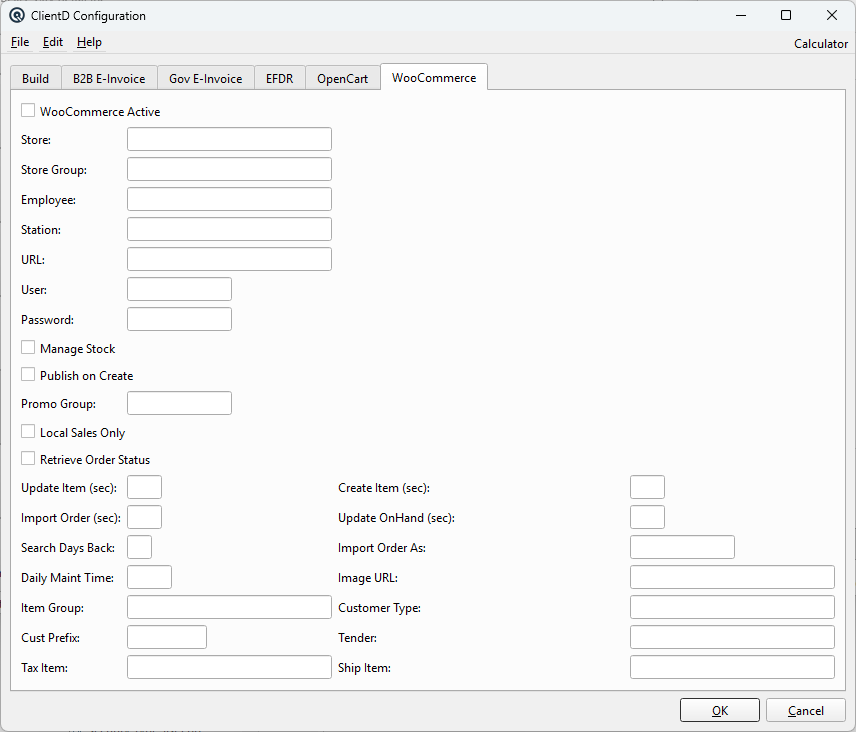
Configures the WooCommerce e-commerce integration via REST API. Visible when feat_website is enabled. WooCommerce ActiveMaster enable/disable for the WooCommerce integration. ConnectionTo connect Quasar to your WooCommerce store you need REST API credentials. Follow these steps to generate them in your WordPress admin panel:
Paste these values into the fields below. URLYour WooCommerce site address (e.g.
Consumer KeyThe WooCommerce REST API consumer key generated above
(starts with Consumer SecretThe WooCommerce REST API consumer secret generated above
(starts with ScopeThese fields control which Quasar store, employee, and station are assigned to transactions created by the WooCommerce integration. StoreThe Quasar store that WooCommerce orders and inventory operations are recorded against. This determines which location's stock levels are updated. Store GroupOptional group-level store scope. When set, WooCommerce operations may apply across all stores in this group. EmployeeThe employee assigned to all WooCommerce-generated transactions (e.g. imported orders, stock adjustments). StationThe station assigned to WooCommerce-generated transactions. Order & Stock OptionsManage StockWhen checked, Quasar pushes on-hand stock quantities to WooCommerce at the interval defined by Update OnHand. Disable this if stock is managed entirely on the WooCommerce side. Publish on CreateWhen checked, new items pushed from Quasar to WooCommerce are published immediately so they appear on the storefront. When unchecked, items are created as drafts so you can review them before publishing. Local Sales OnlyWhen checked, only local (in-store) sales trigger item updates to WooCommerce. Web-only orders that originated from WooCommerce are excluded from the sync-back cycle. Retrieve Order StatusWhen checked, Quasar polls WooCommerce for order status changes (e.g. completed, refunded) and updates the corresponding Quasar transactions. Promo GroupA Quasar promotion group whose items are pushed to WooCommerce as sale/promotional products. Leave blank if you do not use promotional pricing on the website. One-Time Import from WebsiteDefaults used when importing categories and items from an existing WooCommerce site into the current Quasar company. This is a one-time operation; after the initial import, orders and customers continue to import automatically through the WooCommerce order-import cycle. COGS AccountDefault cost-of-goods-sold account assigned to every item imported from WooCommerce. You can change it on individual items after import. Income AccountDefault income (revenue) account for imported items. Asset AccountDefault inventory asset account for imported items that are tracked as inventoried stock. Prices Include TaxWhen checked, the product prices fetched from WooCommerce are treated as tax-inclusive and Quasar will back-calculate the pre-tax selling price. Date Range (days)How many days back to look when fetching products from WooCommerce for import. Only products modified within this window are listed. Leave blank to fetch all products. Department FilterUsed on the Items tab of the import dialog. If filled in, only products belonging to this WooCommerce category (department) are fetched. Leave blank to fetch products from all departments. This filter does not affect the Categories tab, which always lists every category. Subdepartment FilterUsed on the Items tab of the import dialog. Narrows the fetched products to a specific WooCommerce subcategory (subdepartment). Leave blank to ignore this filter. Import Company from WebsiteOpens a dialog that connects to the WooCommerce site and lists available categories and products. On the Categories tab you can select categories to import as Quasar departments and subdepartments. On the Items tab you can select individual products to import as Quasar items. Only the records you select are imported. Automatic Sync CyclesThese fields control the timing and defaults for the background
threads that keep Quasar and WooCommerce in sync. Cycle values are in
seconds; set to Update Item (sec)Seconds between pushes of changed item data (description, price, images) from Quasar to WooCommerce. Create Item (sec)Seconds between pushes that create new WooCommerce products for Quasar items that do not yet exist on the site. Import Order (sec)Seconds between pulls of new orders from WooCommerce into Quasar. Update OnHand (sec)Seconds between pushes of current on-hand stock quantities to WooCommerce. Only active when Manage Stock is checked. Search Days BackHow many days back to search when looking for new WooCommerce orders to import. A smaller number reduces the API query size; a larger number catches orders that were missed. Import Order AsThe Quasar transaction type to create for imported WooCommerce
orders (e.g. Daily Maint TimeTime of day (HH:MM) for a daily maintenance run that reconciles stock levels and cleans up stale data. Image URLBase URL used when building product image paths for WooCommerce
(e.g. Item GroupDefault Quasar item group assigned to items that are auto-created from incoming WooCommerce orders. Customer TypeDefault Quasar customer type assigned to customers that are auto-created from incoming WooCommerce orders. Cust PrefixPrefix prepended to auto-generated customer numbers for
WooCommerce customers (e.g. TenderThe Quasar tender (payment method) used to record payment on imported WooCommerce orders. Tax ItemThe Quasar tax item used to apply tax on imported WooCommerce orders. This maps the WooCommerce tax line to a Quasar tax code. Ship ItemThe Quasar item used to record shipping charges on imported WooCommerce orders. The shipping amount from the order is added as a line using this item. |
Feature Gating
|
Tabs are dynamically shown/hidden based on enabled business features:
|