
Consignments
Consignment In Return List
Lists all returns of consigned goods back to vendors. Filter by vendor, store, status, and date range.
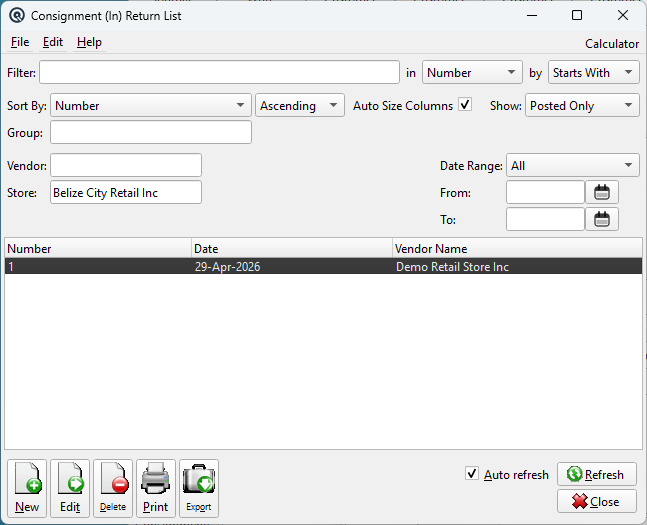
Filters
FilterQuick-search the displayed list. Type text to instantly filter rows by matching against the selected column. Use the in dropdown to choose which column to search, and the by dropdown to switch between Starts With, Contains, or Exact Match. Find ColumnChoose the column to search within. Find MethodSwitch between Starts With, Contains, or Exact Match. Sort ColumnChoose the column used to sort the list. Sort MethodSwitch between Ascending and Descending order. Auto Size ColumnsWhen checked, columns automatically resize to fit their contents. When unchecked, column widths are saved between sessions. StatusPosted Only, Voided Only, Suspended Only, or All. VendorFilter to a specific vendor. StoreFilter by store (defaults to current). Date RangeChoose a preset range or leave on Manual. FromStart of the posting date range. ToEnd of the posting date range. |
Results Columns
|
Default: Number, Date, Vendor Name. Also available: Reference, Comments, Store Number/Name, Vendor Number/Name. |
Standard List Actions
|
New — Opens a blank Consignment In Return. |
Related Screens
| Consignment In Return | Consignment In List | Consignment Status |
| Quasar Accounting 7.1 • © Linux Canada Inc. • Table of Contents |