
Fuel Site
Fuel Controller Master
The Fuel Controller Master configures a fuel site controller connection. It defines the controller identity, TCP network connection, polling intervals, customer/fleet card resolution, product-to-item mapping, and transaction import settings. Each controller is tied to a specific store and station. Open from the Fuel Controller List.
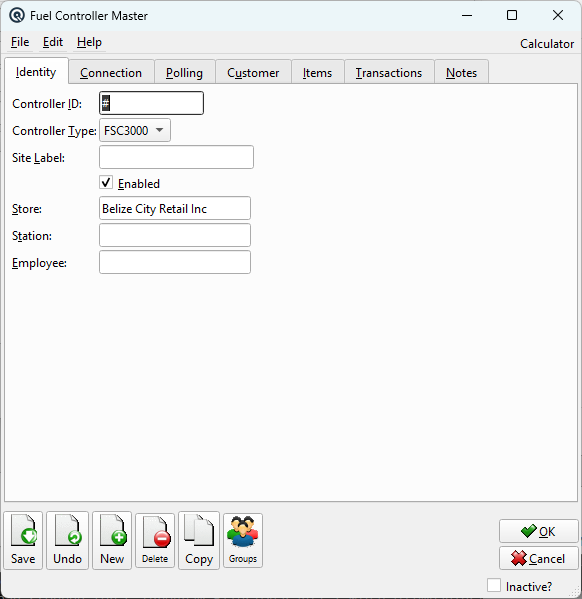
Identity Tab
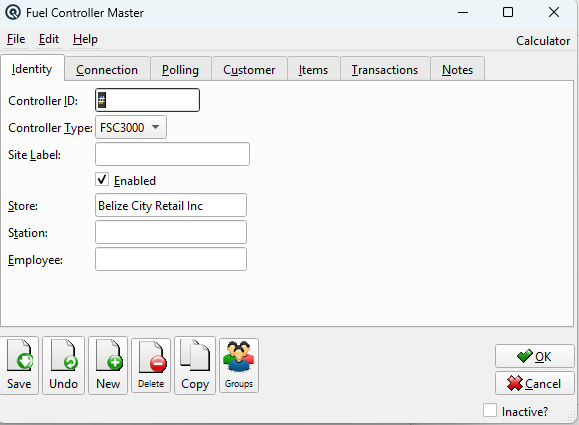
|
Core identification and assignment settings.
Controller IDUnique identifier for this controller, auto-numbered with "#" on new records. Sequence numbering is global (shared across all stores). Controller TypeCommunication protocol: FSC3000. Additional protocols can be added as vendor adapters are implemented. Site LabelHuman-readable site description (e.g., "Highway 2 - North Pumps"). Displayed in lists and reports. EnabledCheck to activate polling and transaction import for this controller. StoreStore this controller is assigned to. Changing the store clears the Station and Employee selections. StationStation within the store that processes imported fuel transactions (filtered by selected store). EmployeeEmployee assigned to imported fuel transactions (filtered by selected store). |
Connection Tab
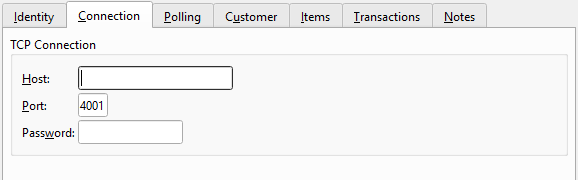
|
TCP/IP network connection parameters for communicating with the physical controller hardware.
HostIP address or hostname of the fuel site controller (e.g., "192.168.1.100"). PortTCP port number for the connection. PasswordAuthentication password for the controller. |
Polling Tab
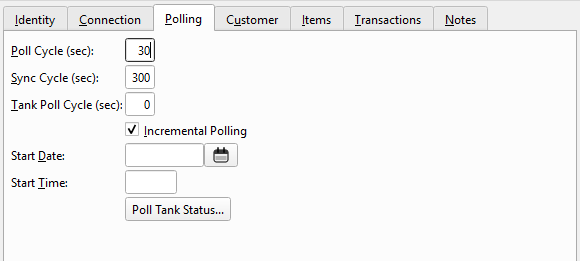
|
Controls how frequently the system polls the controller for new data.
Poll Cycle (sec)Interval in seconds between transaction polling cycles. Sync Cycle (sec)Interval for full synchronization cycles. Tank Poll Cycle (sec)Interval for background tank status polling. Set to 0 for manual polling only. Incremental PollingWhen checked, uses SINCE queries for efficient polling (only fetches new data since last poll). Start DateOnly import transactions on or after this date. Prevents importing old historical data. Start TimeOnly import transactions on or after this time on the Start Date. Poll Tank Status...Button that directs you to the Tank Status Report for live polling. The controller must be saved first. |
Customer Tab
|
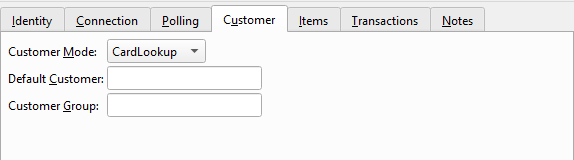
Controls how customers are resolved when fuel transactions are imported.
Customer ModeHow to resolve the customer: CardLookup (match fleet card), DriverLookup (match driver ID), or Default (always use the Default Customer). Default CustomerFallback customer when card/driver lookup fails or when mode is "Default". Customer GroupOptional group filter to restrict customer matching to a specific group. |
Items Tab
|
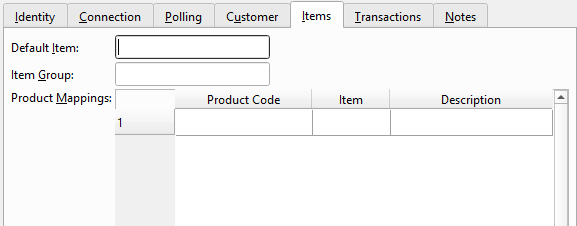
Maps fuel products reported by the controller to Quasar inventory items.
Default ItemFallback item when the product code doesn't match any mapping in the table below. Item GroupOptional group filter for item matching. Product Mappings
New rows are added automatically when you enter a Product Code or select an Item in the last row. |
Transactions Tab
|
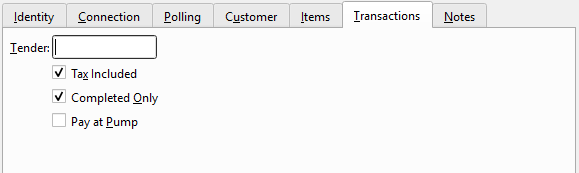
Controls how fuel transactions are imported into Quasar.
TenderName of the tender type to use for fuel payment transactions. Tax IncludedCheck if the amounts reported by the controller already include tax. Completed OnlyWhen checked, only import transactions marked as completed by the controller (ignore in-progress dispensing). Pay at PumpCheck if this controller supports pay-at-pump transactions. |
Notes Tab
|
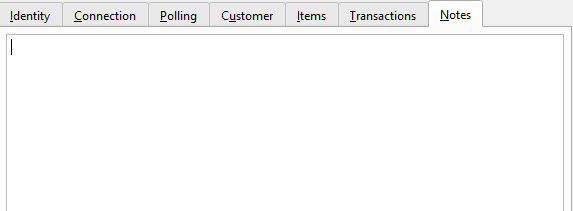
Free-text notes about this controller configuration, installation details, or maintenance history. NotesFree-text notes about this controller configuration, installation details, or maintenance history. |
Related Screens
| Controller List | Tank Status Report | Fleet Fuel Report |
| Quasar Accounting 7.1 • © Linux Canada Inc. • Table of Contents |