
Customers & Sales
Customer Withdraw
The Customer Withdraw screen records a cash or tender withdrawal against a customer's account credit balance. The customer must have withdraw privileges enabled, and optionally may be restricted from withdrawing more than their current credit balance. When a customer is selected, any configured reference fields are prompted via dialog before proceeding. Access from Sales › Customer Withdraw.
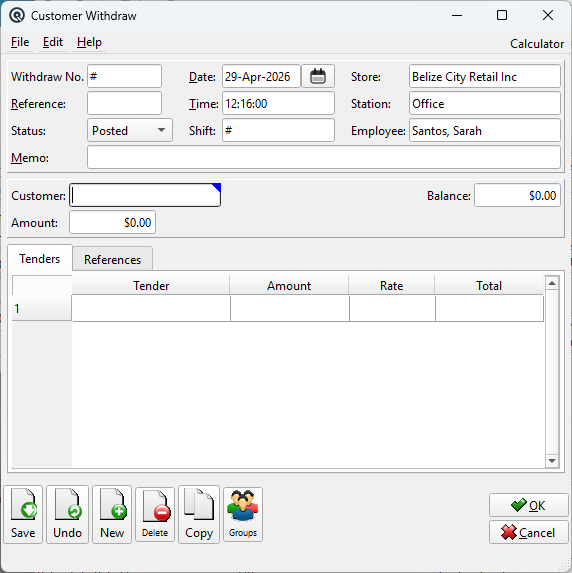
Header Fields
NumberTransaction number. Auto-generated by default; enter # for next sequence number. ReferenceReference string for cross-referencing or notes (optional). StatusTransaction status. Controls posting and visibility in lists. DatePosting date for the transaction. Defaults to today. TimeTime of posting. Auto-filled from the system clock. Work DateWork date for the transaction (may differ from posting date). ShiftShift assignment for labour or shift-based reporting. StoreStore where the transaction is posted. Defaults to current store. StationWorkstation or terminal where the transaction was entered. EmployeeEmployee who created or is responsible for the transaction. MemoFree-form memo or notes attached to the transaction. |
Transaction Fields
|
Tenders Tab
|
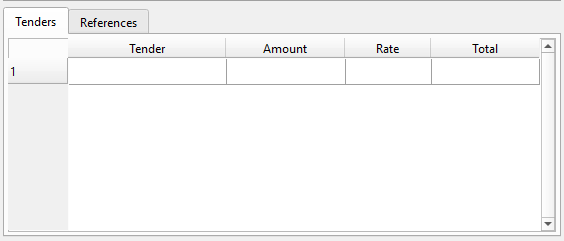
Specify the tender(s) used to pay out the withdrawal to the customer.
Multiple tenders can be used for a single withdrawal. Each tender row creates a GL posting to the tender's configured account. |
References Tab
|
Displays reference fields configured on the customer. These are prompted automatically when a customer is selected and can be edited here afterward.
|
Accounting Behavior
|
When posted, the withdrawal creates the following GL entries: • Debit — Customer's AR account (reduces credit balance) for the withdrawal amount Voided tenders from the original transaction are preserved during edits. Hidden tender properties (authorization number, card number, expiry date) and reconciliation cleared dates are also carried forward from the original. |
Validation Rules
|
• Customer must have Can Withdraw enabled — otherwise the save is rejected. |