
Setup & Configuration
Employee Master
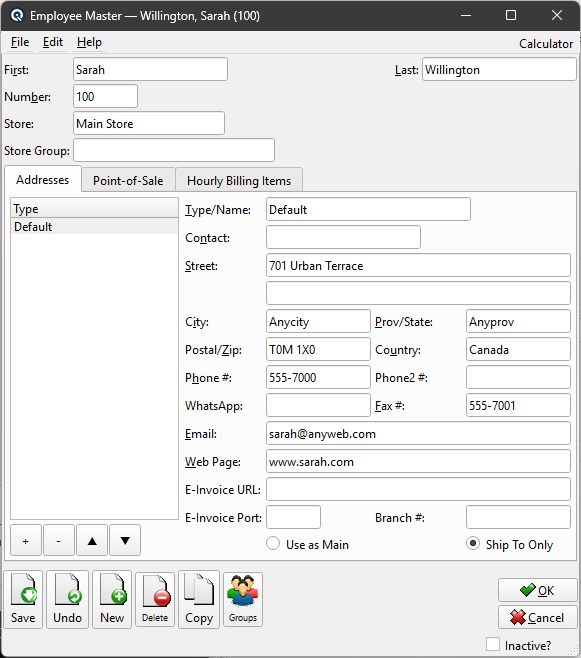
The Employee Master defines an employee record including contact information, POS access level, pay rate items, and store assignment. Access from Setup › System › Employees, then click New or Edit.
|
General
First NameThe employee's first name. Last NameThe employee's last name. NumberA unique employee number. StoreThe store this employee works at and has access to. If the employee works at only one location, enter that store here. When a store is specified, the employee can only log in and process transactions at that store. If left blank, the system checks the Store Group field to determine access. If both Store and Store Group are blank, the employee has access to all stores in the system. Store GroupAssign the employee to a store group when they work across multiple locations. The employee can log in and process transactions at any store that belongs to this group. The Store Group is only used when the Store field is blank. If a specific store is entered, the Store Group is ignored. If both fields are blank, the employee has access to all stores. |
Addresses Tab
|
|
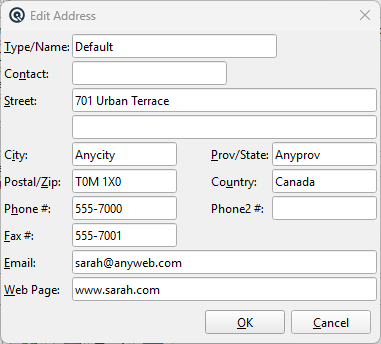
Manage multiple addresses per employee (home, mailing, emergency contact, etc.). Use the Add, Edit, Delete, Up, and Down buttons. Each address has: Address EditorThe address editor manages the employee's addresses. Type/NameA label identifying the address (e.g., "Home", "Mailing"). Must be unique per employee. ContactContact person at this address. StreetStreet address. A second line is available for suite, unit, or building information. CityCity name. Prov/StateProvince, state, or region. Postal/ZipPostal code or ZIP code. CountryCountry name. Phone #Primary phone number. Phone2 #Secondary phone number. Fax #Fax number. WhatsApp phone number for business messaging. Email address. Web PageWebsite URL. |
Point-of-Sale Tab
|
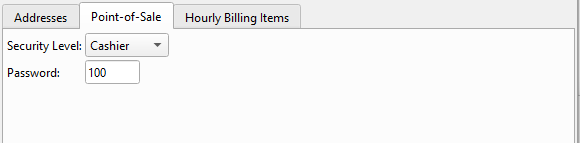
Security LevelThe POS access level for this employee. Options are: No Access — Employee cannot log in to the POS. PasswordA numeric password the employee uses to log in at the POS terminal. This is separate from the Quasar back-office user login password. |
Hourly Billing Items Tab
|
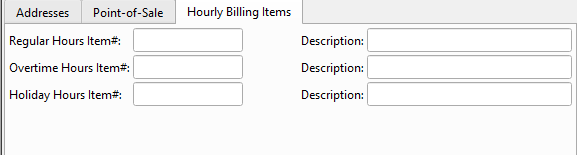
Regular Hours Item#Select the inventory item that represents regular hourly billing. The Description field auto-populates from the item record. This item is used when the employee's time is billed to a customer invoice. Overtime Hours Item#Select the item for overtime hourly billing. Typically priced at 1.5× the regular rate. Holiday Hours Item#Select the item for statutory holiday hourly billing. |
Toolbar Actions
Save / Undo / New / Delete / Copy / GroupsStandard master screen actions. OK / CancelSave and close, or discard and close. Inactive?Toggle to deactivate the employee. |
Related Screens
| Employee List | User Master |
| Quasar Accounting 7.1 • © Linux Canada Inc. • Table of Contents |