
Accounts & Ledger
Journal
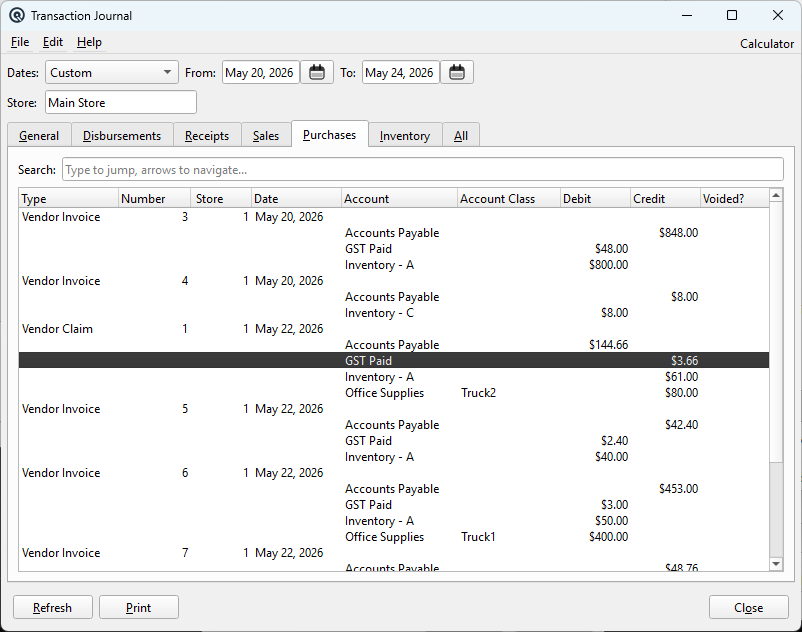
The Journal displays all transactions posted to the General Ledger in chronological order. Filter by date range and store, then view transactions grouped by type or all together. Access from Ledger › Journal.
Filters
DatesSelect a predefined date range (Today, This Week, This Month, etc.). The From/To dates update automatically. FromStart date for the journal range. ToEnd date for the journal range. StoreFilter transactions by store. Defaults to the current store. |
Tabs
GeneralGeneral journal transactions. DisbursementsDisbursement (payment) transactions. ReceiptsReceipt transactions. SalesSales transactions. PurchasesPurchase transactions. InventoryInventory adjustment and transfer transactions. AllAll transaction types in one list. |
Columns
DateTransaction date. NumberTransaction number. TypeTransaction type (Invoice, Payment, Journal, etc.). AccountGL account affected. Debit / CreditDebit and credit amounts. |
Action Buttons
RefreshReload the journal with the current filter settings. Print the currently selected tab's journal list. CloseClose the Journal window. |
Related Screens
| General Journal | Find Tx | Inquiry |
| Quasar Accounting 7.1 • © Linux Canada Inc. • Table of Contents |